
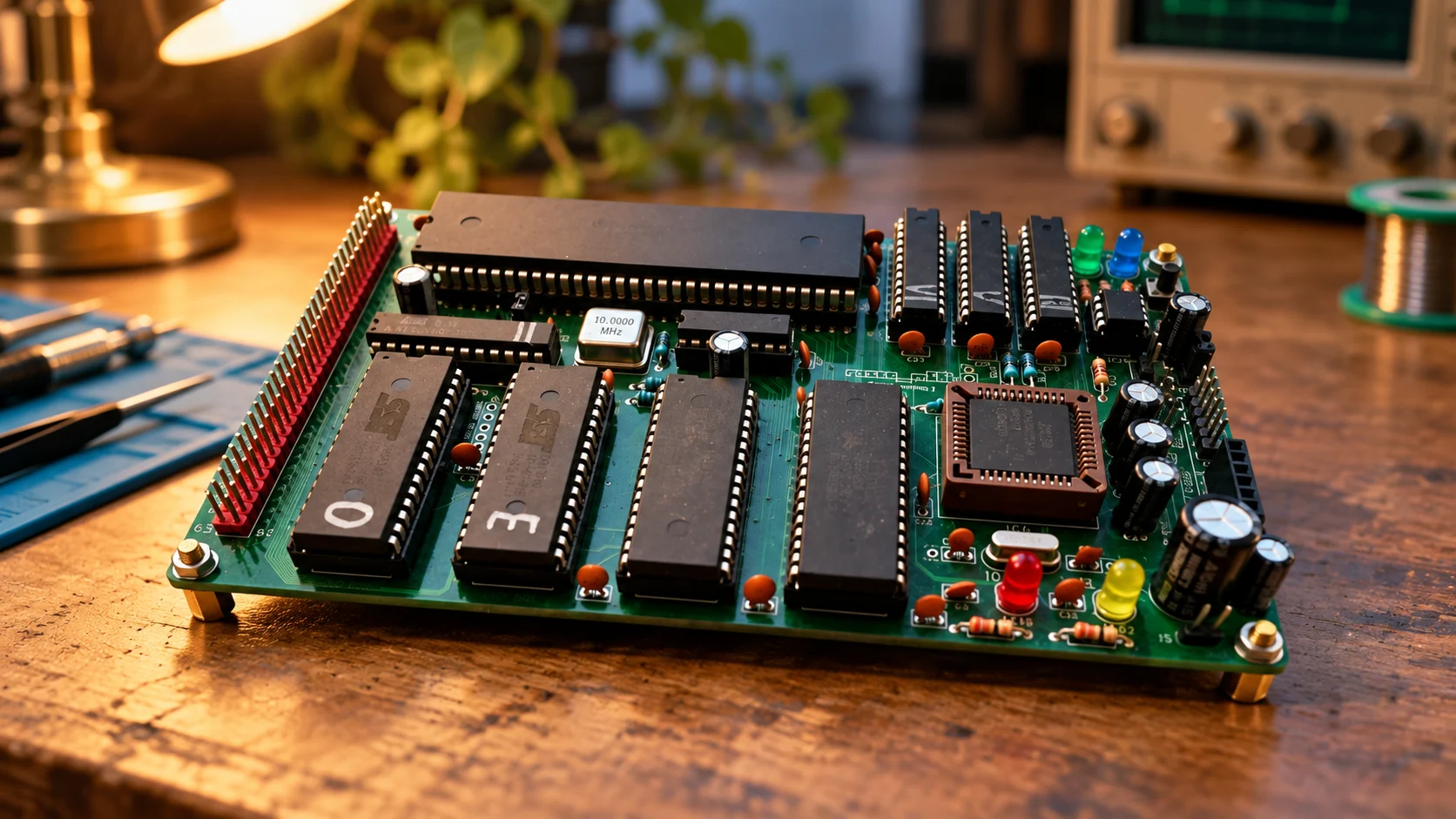
Why Build a Motorola 68010 Computer in 2026?
September 30, 2026
It’s 2026. For $5, you can buy a microcontroller that packs a CPU, RAM, Flash, USB, Wi-Fi, Bluetooth, and a bunch of peripherals into a single chip. And it’ll still be many times faster than a Motorola 68010.
So why would you build a rosco_m68k at all?
Definitely not for performance, and not because it’s practical. For me, the main reason to build a machine like this is that you can actually understand almost the entire computer. Not just write code for it, but understand what happens from the moment the CPU comes out of reset to the moment it talks to RAM, the UART, or one of your own expansion cards.
What is the Motorola 68010?
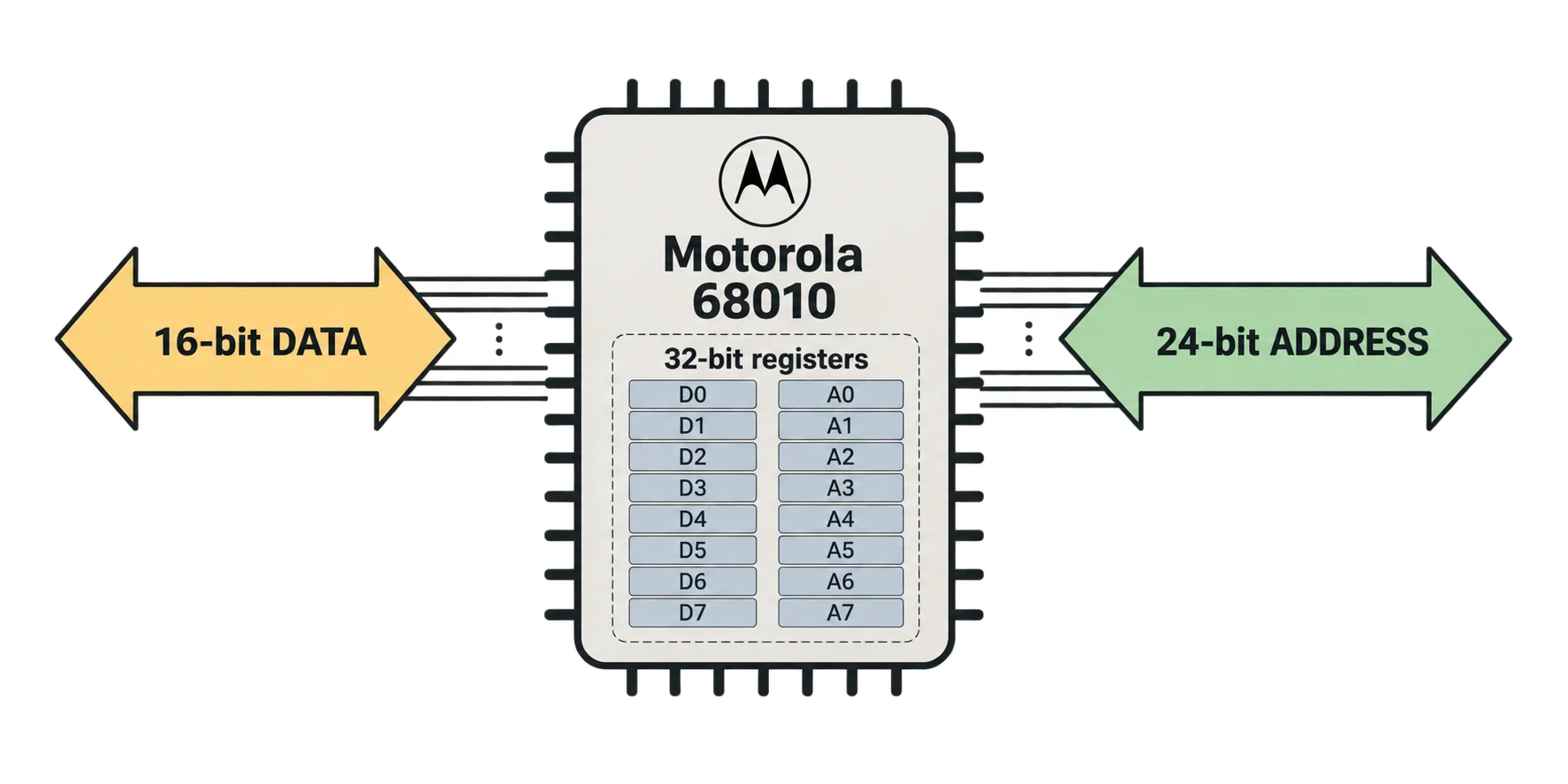
The Motorola 68010 is a processor from the 68k family and the successor to the Motorola 68000. Some of its basic characteristics are:
16-bit external data bus
32-bit registers
24-bit address space
A 16-bit external data bus means the CPU has 16 physical data lines and can transfer up to 16 bits between the processor and memory or peripherals during a bus cycle. The 32-bit registers mean the CPU can store and operate on 32-bit values internally. And the 24-bit address space gives it about 16 MB of address space, where you can map RAM, ROM, the UART, and other devices.
Today, 16 MB sounds almost ridiculous. A single image can take up that much space. But for a machine like this, it’s already plenty, and more importantly, you can actually open the memory map and understand what lives where and why.
Modern computers are built on layers of abstraction
In a very simplified form, a modern computer looks something like this:
Application
↓
Runtime
↓
OS
↓
Drivers
↓
Firmware
↓
Chipset
↓
CPU
An application talks to a runtime API or the operating system. The operating system talks to drivers, the drivers talk to the hardware, and underneath that you still have firmware, the chipset, the CPU, and a lot more.
And that’s a good thing. These abstractions are exactly why we can open an editor, write a few lines of code, and never think about how the CPU is actually fetching data from RAM.
The problem starts when you want to understand how a computer really works. You can read about interrupts, the stack, memory maps, virtual memory, or drivers, but if all you ever do is read about the concept and never use it, there’s a good chance half of it will be gone from your head a few months later. On a machine like this, you can actually play with most of those things yourself.
Need a UART? You figure out how the CPU talks to it. Need an interrupt? You set one up. Want to add your own device? Give it a place in the memory map, build the address decoding, and write the code that talks to it. You can go from the simplest piece of software all the way to writing drivers, firmware, or even your own small operating system. At some point, all these concepts stop being paragraphs in a book and turn into things you’ve actually used.
And now we have AI as well. If you just want to try something quickly, you can ask it to sketch out a simple driver, write a bit of assembly, or help you work through a datasheet. Then you run it and figure out why it works, or, more often, why it doesn’t.
If you’re interested in AI-assisted development specifically, you can also take a look at this project. I experimented with building a framework for developing software for the rosco_m68k with LLMs. With how fast this area is moving, parts of it are already a bit outdated, but it’s still something you can poke around with.
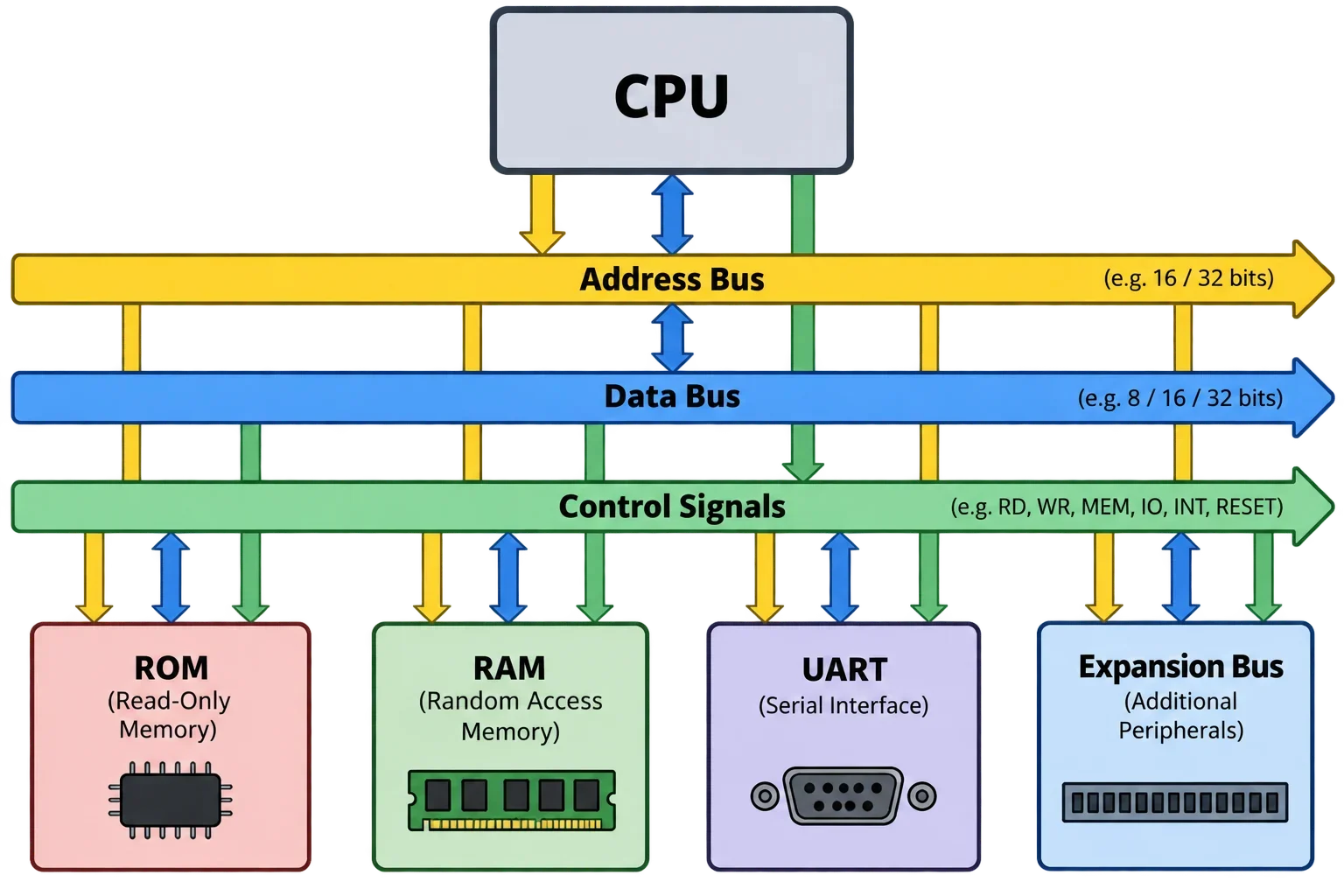
On the rosco_m68k, the system itself looks much simpler:
CPU
↓
Address / Data bus
↓
RAM / ROM / UART / peripherals
The CPU executes code and talks to everything else through the address and data buses. If it wants to read RAM, it puts an address on the address bus. If it wants to write a byte to the UART, it puts the UART’s address on the bus along with the data. The address decoding logic decides which device should respond. You can open the schematic and literally trace the path from the CPU to the chip involved.
For development, I’d still recommend using an emulator. There’s no point pulling the ROM out, programming it, and putting it back every time you change a few lines of code. You can test firmware in the emulator first and only flash the real machine when it makes sense. If it’s regular software, you can just move it over using the SD card or Kermit.
The emulator doesn’t replace the real computer. It just makes development a lot less painful.
You can understand the whole machine
This is probably the biggest point. With a rosco_m68k, you can realistically get your head around most of the system:
reset sequence;
where the CPU gets its first instruction;
memory map;
address decoding;
how the CPU reads from and writes to RAM;
how the UART works;
interrupts;
exceptions;
stack;
ROM;
boot process;
bus cycles.
That doesn’t mean you have to sit down and learn all of this before you can start doing anything. Quite the opposite. You start with some simple task, hit a problem, and then figure out what an interrupt is, why you need a stack pointer, or why a particular device lives at a particular address.
To start writing code, you’ll still need to read a bit about programming for the processor you’re using. Assembly, registers, the instruction set, and the general philosophy can be very different between a 6502, 68k, x86, or ARM CPU. But most of the basic ideas are still the same: the CPU executes instructions, you have registers, RAM, a stack, interrupts, peripherals, and some way for all of those pieces to talk to each other.
If you’re an engineer who has spent your whole career working with Python, JS, or another high-level language, working with a machine like this can really change the way you look at computers.
That was definitely the case for me. After getting into systems like this, I started looking at software, operating systems, memory, and everything hiding underneath those APIs from a different angle.
Code becomes physical
When you write something like this in JavaScript:
let a = 10;you usually don’t care where that value physically ends up, which register is being used, or what the CPU is doing with memory. And that’s exactly how it should be.
But on a machine like this, you can go much lower and see what sits underneath even a simple operation.
Say you want to send a character through the UART. Your software writes a value to a specific address. The CPU puts that address on the address bus. The address decoding logic sees that the address belongs to the UART and asserts its chip select. The actual value travels over the data bus, the UART receives it, and then sends it out.
A simple operation stops feeling like magic. You can open the schematic and see which physical lines carry the address, data, and control signals. If you want to go even further, hook up a logic analyzer and watch those signals happen in real time.
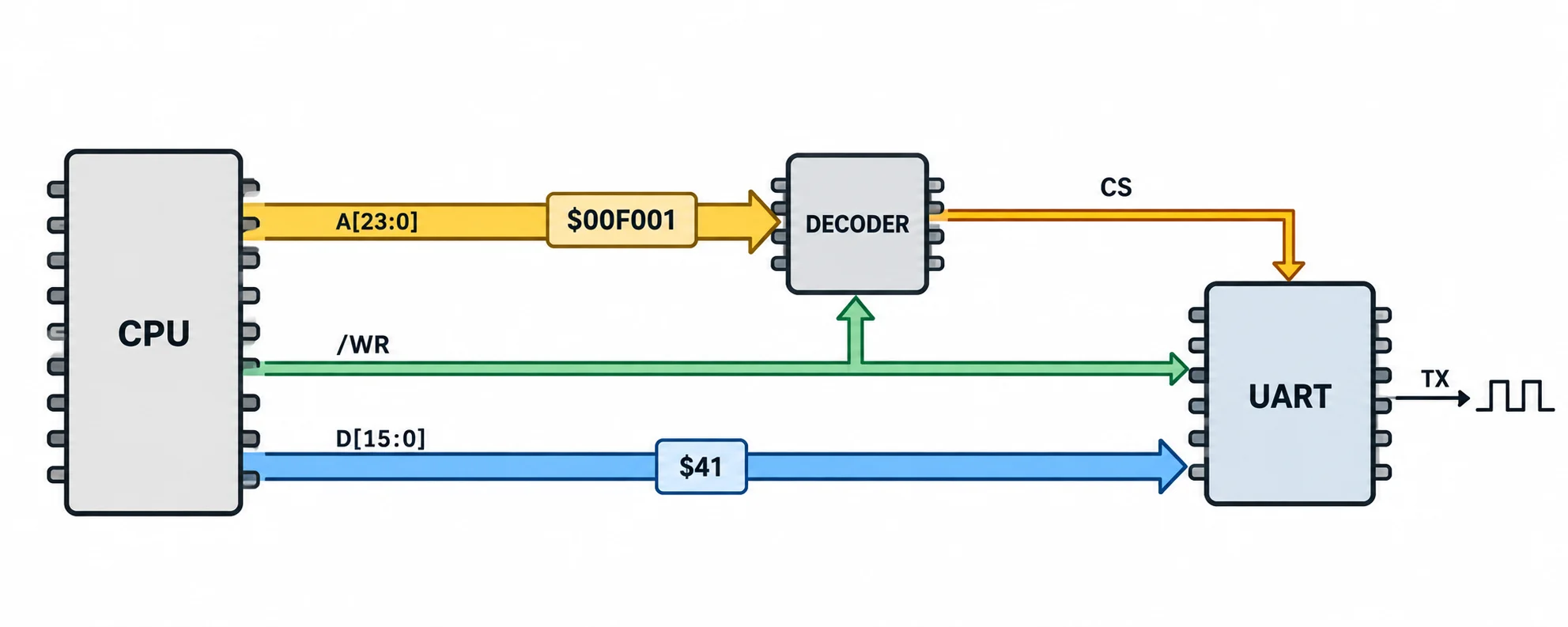
After doing that, things like the address bus, data bus, chip select, and read/write signals feel very different from when you’ve only seen them explained in a textbook.
The 68010 is complex enough to be interesting
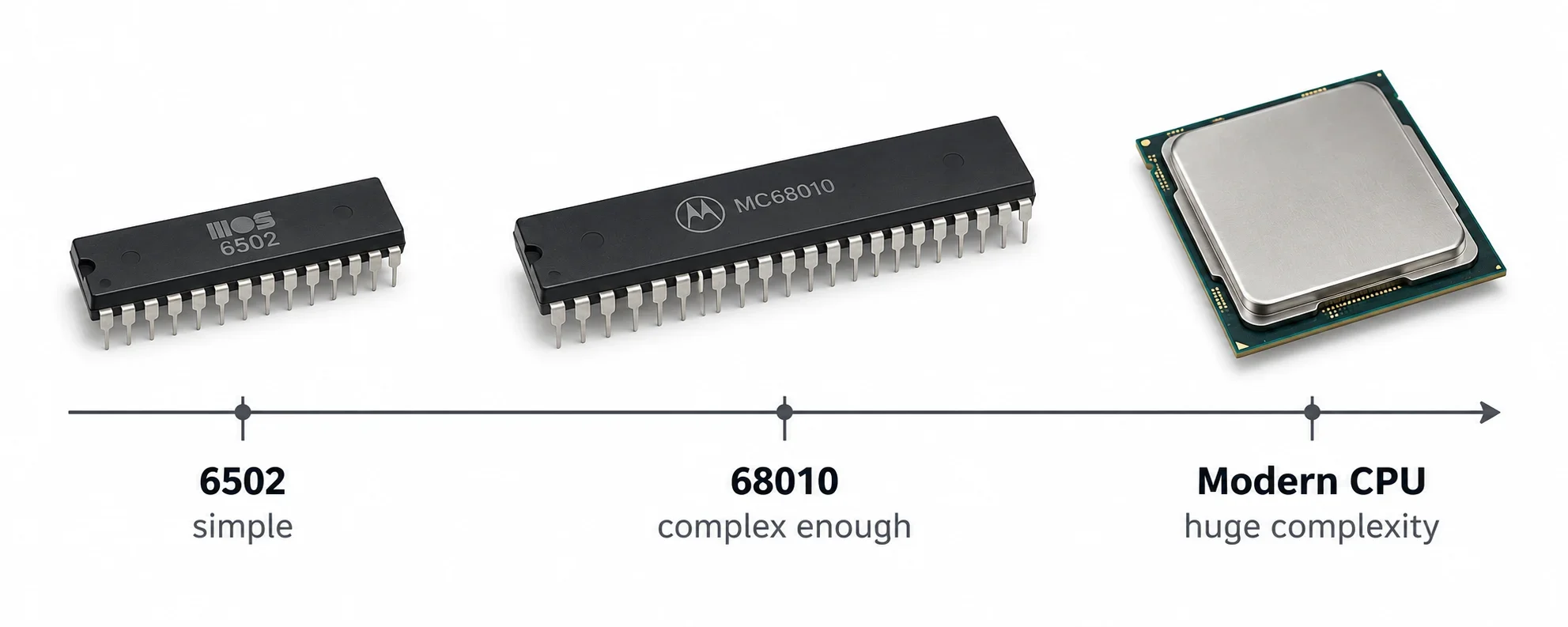
You could do all of this with a 6502, and the 6502 is a great processor for learning. But it’s very simple. It has very few registers, a fairly particular instruction set, and you end up doing a lot of things manually.
The 68010 is already quite a bit more capable, without being so complex that it becomes hard to understand. You get eight data registers D0-D7, eight address registers A0-A7, 32-bit operations, supervisor mode, exceptions, and a much richer instruction set. You’re no longer constantly working around a single accumulator, and the whole thing starts to feel much more like a proper computer.
At the same time, it’s still nowhere near a modern CPU, where there are so many layers of hardware and firmware underneath you that understanding the entire system as one person becomes almost impossible.
You can actually build things for it
Another reason I like computers like this is that you can actually build your own hardware for them. If the expansion card you want doesn’t exist, you don’t have to wait for somebody else to make it. You can just make it yourself.
Want more RAM? Build a RAM board. Want GPIO? Build a GPIO card. Want sound? Make a sound card. Want video? Make a video card. And if you have some weird idea that only makes sense for your own machine, nothing is really stopping you from building that either.
You have an address bus, a data bus, and control signals. From there, you decide where your card should live in the address space, build the decoding logic, and write the software that talks to it.
On our side, we’re gradually working on a set of standard cards for the rosco_m68k:
bus board;
RAM board;
sound card;
GPIO card;
video card.
But the point of the platform isn’t to use only ready-made cards. Quite the opposite. I’d love to see people start making their own. You can take the schematic for an existing card, understand how it works, change it, or build something completely different.
This is where hardware and software really start meeting each other. You design a board, solder the components, plug it into the bus, give it an address, and write a driver for it. It either works, or you spend the next few evenings figuring out why it doesn’t.
Either way, you’ll probably learn something from it.
Why not just use an emulator?
If your only goal is to write software for the 68010, then yes, an emulator is more convenient. You don’t need to solder anything, flash ROMs, or even own a rosco_m68k.
But you also lose a big part of the point.
An emulator can reproduce the behavior of the machine, but it can’t give you the machine itself. You won’t see the real bus. You won’t build your own expansion card. You won’t get bitten by a bad chip select. You won’t spend an evening wondering why RAM is responding where it shouldn’t. And you won’t hook up a logic analyzer and watch the CPU talking to the rest of the system.
So I don’t really see emulation and real hardware as competitors. An emulator is great for fast development. The hardware is what lets you see what is actually happening underneath the code.
So why build a rosco_m68k in 2026?
If you just need a fast computer, don’t.
If you need a cheap platform for an embedded project, probably don’t do it either. Buy an ESP32 or something similar and it will almost certainly be more practical.
But if you want to understand what happens below the operating system and framework layers, a machine like this starts to make a lot more sense. You can go from the very first instruction after reset all the way to your own expansion card. You can write software, drivers, firmware, or a small operating system. You can open the schematic and understand where a particular signal goes, or break something and then figure out exactly why it broke.
The Motorola 68010 has been obsolete as a processor for a very long time.
The concepts you can see, touch, and experiment with on it haven’t gone anywhere.
And for me, that’s the whole point.